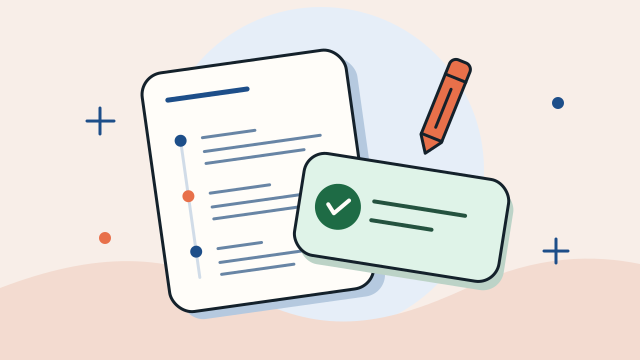
Plan meetings
Allocate time to each agenda item and see how much time is left in the meeting.
 Traktandli
Capture agenda items as they come up, even on the go. Allocate time, prepare meetings together and record decisions under the right agenda item.

Scan the QR code with your phone camera.
app.wrtm.ch/traktandli/enAllocate time to each agenda item and see how much time is left in the meeting.
Tap the plus button to open Quick Capture. If your browser supports dictation, hold down the microphone to speak. Add subitems, links and images when you need them.
Add timestamped notes to the relevant agenda item or subitem. Use general notes for anything that applies to the whole meeting.
Group meetings under Work, Projects or your own categories, then filter the meeting list to see what you need.
Open a meeting in Google Calendar or export a calendar file with a reminder.
After the first online sync, you can edit meetings offline. Your changes sync when you are back online.
Share a category with the people who need to contribute. Invitees can edit its meetings, agenda items and notes.
Start collaboratingShare a committee, a project or your regular team meetings.
Create the link for the invitee’s email address and send it through your preferred channel.
Collect topics, add sub-items and record decisions. Manage access in the app.

For departmental meetings and working groups. Gather documents and questions in advance and record what still needs checking.

For team and leadership meetings. Prioritise topics and give decisions enough time.
Prepare a team meeting
For committee meetings and club events. Bring budget items, sign-ups and responsibilities together.
Plan a committee meeting
For quick check-ins on the go. Capture blockers, pending decisions and questions under the right project.
Capture items on the go
Record the decision, owner and next step in the notes for each agenda item.
Record decisions
Save questions, stories and plans for your next conversation, or plan the week together.
Plan your week togetherPractical guides for capturing agenda items, planning effective meetings and recording clear decisions.
Create a meeting with a date and category, then add the topics as agenda items. Give each topic a duration if you like. The time budget shows how much time is left before the planned end of the meeting.
Record decisions and action items directly on the relevant agenda item or subitem. Use the general notes for anything that applies to the whole meeting.
Open Collaboration in your settings, choose a category and create an invitation link for the other person’s email address. Once they accept, they can edit meetings, agenda items and notes in that category.
Open the app in Safari. In the Share menu, choose “Add to Home Screen”. You can then launch Traktandli from its app icon.
Yes. Sign in online on the device you’ll use and wait for your meetings to load. You can then work offline. Your changes sync the next time you connect.